Tips To Increase Alexa Ranking
Alexa is no doubt one of the best websites which provides almost the accurate analysis of your blog/website. After Google Page Rank, Alexa is given the highest priority by the famous web masters. It gives a glimpse of trust on a blog. It also gives a commercial value to a blog. When ever you submit your blog for Google Adsense or other advertising networks they also check the Alexa Ranking of your blog and if your blog meet their standardized rankings than they approve it else not. But Alexa ranking has no concern to do with the blog traffic it just gives the ranking and other analysis of a blog. So, today we are going to reveal some secret and best tips to increase your blog's alexa ranking.

1. Install Alexa Tool Bar

Install alexa toolbar on your browser and ask your visitors, friends to also install alexa toolbar in their browsers. This will effectively increase your alexa ranking as alexa only measures the hits that pass within their system.

2.Claim Your Blog

To get full control over your blog just claim your blog on Alexa.com, by this others will know that who manages and owns the blog and also helps you in better alexa rankings.

3. Add Alexa Widget To Your Blog

As we said earlier that Alexa measures those hits which pass through their system and its not so often that every visitor that visits your blog has installed alexa toolbar in their browser so its better to install alexa widget to your blog so that all the hits can be measured and your rankings can be made better on Alexa.

4.Quality Content Matters

Alexa also measures the bounce rate, page views and average time spent by the visitors on your blog. So, only quality, great and attractive content can force your visitors to stay long and even return for more.

5. Commenting And Backlinking

Comment on other blogs within your niche and link your blog their. This will give you quality backlinks and will increase your alexa rankings eventually as they also measure the backlinks of a blog and so your alexa rankings also depends on the backlinks.

6.Update Your Blog Regularly

We strongly recommend you to update your blog regularly if you want to see a dramatic increase in your alexa rankings. If you will not update your blog regularly, your ranking will go down and it will become very hard to bring it back.

7. Social Media Is Important

Share your posts on social networking websites like Facebook, Google+ and Twitter because they not only bring lots of visitors to your blog but also increase your alexa rankings.

8. Invite Bloggers And Tech Related Guys!

Try to invite and bring more and more bloggers and techy guys to your blog because guys related to these fields must have alexa toolbar installed in their browsers and if they visit your blog, your blog's alexa ranking surely increases quickly.

9. Write A Review On Alexa About Your Blog

Write a good review on Alexa about your blog and also visit your close friends to write reviews regarding your blog on alexa because it will attract more visitors and also your rankings on alexa will increase.

Final Words!

So, these were some great and quality 9 Tips To Increase Your Blog's Alexa Ranking. We hoped you liked the article and also understood it well. Please do subscribe us for more :). Happy Blogging!

Best SEO
No , doubt there is no second opinion about the importance of SEO of a blog or a website for its online success in business and several marketing campaigns.

A variety of business men or companies who buy products and services online make use of search engines to meet their desired products and services. If someone is looking for something in your niche and your blog/website is deep below in the search engine ranking than he/she won't be able to find you in the searches , no matter what best products and services you are offering. Usually these type of people prefer the companies showing in the top search results .It is therefore very necessary for you to acquire top position in the search engine results.However , getting the top ranking is not easy as taking a cup of tea.But its also not a rocket science as well. SEO of your blog/website doesn't settle in a single day, its a constant learning process. No matter , how professional blogger you have become , you always learn something new on every turn in blogsphere and you apply it on your blog.

Here are some of the best SEO secrets you must know for better optimization and higher ranking of your blog/website in search engine results.

The First Secret is to keep a close eye on changing search engine algorithms. If you are an SEO expert yourself or have knowledge about it then it’s very important. Optimize your blog or website accordingly and keep it on top in the search results. It is quite necessary because due to changing algorithms some SEO techniques and strategies require changes with the passage of time. 

The Second Secret is to work with an SEO professional or expert. If you are not an SEO expert yourself then it is better to work with some professional SEO company. There is a big advantage of working with SEO professionals than working at your own.

Professionals are well trained and experienced chaps who can run intensive and extensive SEO campaigns for your blog or website. Though it will cost you a little bit but it will save you from more costly mistakes that you could make, being a non-professional.

The Third Important Secret is to choose the best SEO services. You will do a good search to find the most reputed SEO professional companies. Hiring an SEO professional individual may work as well but it is much better to work with a company as they provide you a wide range of services. Working with a company saves you from running after different individual professionals for different works. With a company you get all at one place.  


The well renowned SEO companies will provide you unique and right to the target services. They will apply the best SEO techniques to achieve the required goal. They know better which strategy is successful for your business or product. For the best implementation of SEO techniques and methods hiring the services of well reputed SEO experts are very necessary. 

Yet Another Secret is that SEO is a continuing process. It doesn’t stop at some specific place neither is it a short term approach. Never think that when you reach at a particular point you should stop there. The strategies applied will take time to bring the desired benefits.  Some techniques need to be changed over the period because of changing algorithms. 

Constant monitoring and a watchful eye keep you abreast of ongoing changes and latest requirements for SEO. There is no guarantee that once your website or blog gains the top position in search engine rankings then it is going to stay there for long. Ranking in search engines is always unpredictable and SEO has a varying nature. The sites with unique key words and better SEO strategies are likely to come up. Thus, it is vital to understand the changing nature of SEO and adopt new measures to cope up with the changes. 


Using these secrets as SEO tips for better optimization of your blog or website is likely to bring you on top in the search engine results in your specific niche.

Need Help ?

Oh come on , don't be so shy. If you have any query or question comment below and We are always available. Till than Happy Blogging !

How to increase Facebook Page Likes
Well, no one should have doubt that Facebook is among the largest social networking websites. People use it to get in touch with their friends and family. Its also a great and vital source for bloggers to drive traffic from Facebook to their blog. Most of the bloggers have Fan Pages regarding their blog on Facebook through which they update their Facebook fans about their blog and also get bundles of traffic but What If you don't have enough likes on your Facebook Fan Page ? This is surely going to be a problem because if you don't have good likes on your page, you can't receive good traffic from Facebook. So, in this tutorial we will reveal some quality and proven tips to increase likes of the Facebook Fan Page Of Your Blog.

1. Insert Facebook Like Box Widget In Sidebar

Adding Facebook fan page like box in your blog sidebar can become a huge source for increasing likes on your Facebook page. Because if people visiting your blog really like your content, they will surely like your Facebook page to stay updated on Facebook.

2. Popup Like Box Also Works Efficiently

Popup boxes are really annoying to some visitors but at present time such popup boxes are also released which appear only one time to the same IP address. So, using that much well programmed popup box as the like box on your blog will not be a bad deal. So, by using Popup Like box on your blog you can convert your each single visitor to a Facebook Fan Page.

3. Invite Friends

After creating a Facebook Fan Page, do have a look at it and start inviting your friends to like your page. After inviting them, all of them will get invitations through which they will like your page and its likes will increase.

4. Comment On Other Pages 

This is a very nice and very effective trick. You can comment the link of your Fan Page on the posts of the pages which higher likes. In this way, the people there will see your comment and like your page and become members of it. But keep in mind this trick also annoys some of the page admins so, don't do it too much that they could ban you from the page.

5. Promote Your Facebook Page

If you have a little money in your pocket than you can also go this way. Facebook charges you a little dollars and show ads of your Facebook Page to different users through which they come and like your page. In this way you can get a lot of likes through Facebook Promotion.

6. Beautify Your Page With Logo And Cover

If you are expert at Adobe Photoshop you are required in this job. Design an attractive Profile picture along with the cover photo regarding your blog and upload them to your Facebook Fan Page. If you are not good at Photoshop, you can also hire someone but the logo and cover should be attractive and eye catching. In this way people who will visit your blog, will visit your Facebook Fan Page and if they got impressed by it they will surely like it and also share it to stay updated directly on Facebook.

7. Update Your Page Regularly

Updating your Facebook Fan Page regularly can bring you quite a lot of targeted traffic. Try to share informative stuff on your page and always share the link of the new post of your blog. 
When ever someone will like the post on your page, his/her friends will also get informed and its most likely that they will also visit and like your page.

8. Invite Email Contacts And Email Subscribers

If you have a good number of email subscribers for your blog which get updated and are also the loyal readers. You can send them invitations along with your personal email contacts to come and like your page. For doing this just make a fresh list of email subscribers and your personal email contacts then go to the admin panel of your page and select "Invite Email Contacts" And put the list there and send invitations to all of them. 

9. Giveaways Can Give You More Likes

Offering something and getting something in return is not a bad deal at all. You might have heard of offering giveaways. These are offered for several purposes such as to boost up traffic, increase email subscribers, increase Facebook likes, twitter fans etc. You can offer anything expensive and precious related to your niche otherwise cash can do the job for every niche. It will be a contest in which each participant will like your page, follow your blog on twitter, subscribe to your blog and will share it. The participant will be given specific points for every action and the participant with most points will be the winner. In this way, you can get huge likes in addition with subscribers and twitter followers.

Last Words!

So Guys ! that was all about how you can increase Likes on Your Facebook Fan Page effectively and quickly. We hope you got all the points set in your minds. If you have any queries please do share with us by commenting below, we will try our level best to reply you as soon as possible. Happy Blogging!

How to make money on twitter
Well, guys there are thousands of ways you can earn a decent money from internet. Working on internet and getting bucks of dollars is not such a difficult job, anyone who has a 24 hours internet connected to his home can work easily and support his/her family through internet earnings. Today, we are going to reveal just a super method of earning money on internet and that is Earning Money Through Your Twitter Account.

Interesting thing is that you just don't need any website or blog to earn money through twitter and its a very easy method to make pretty awesome dollars. You just have to link your twitter account with some websites and publish tweets regarding them and you will be paid for just this.

Ways To Make Money On Twitter

1. Sponsored Tweets

Sponsored tweets is one of the best website online that offers you to make real money with your twitter account. Its a type of ads network and you can set your on CPC (Cost Per Click) rate on it for the ads you will tweet. Its minimum requirements are that, your twitter account should be at least 60 days old, you should have minimum 50 followers and you should have 100 tweets before. So, these requirements are not very strict and you can make money easily through Sponsored Tweets.

2. Ad.ly

Ad.ly is yet another good source for generating income through your twitter account. Its also much popular these days but through this you will not get PPC (Paid Per Click) instead you will have to create a profile based on your interests and than the advertisers will chose your account to publicize a campaign based on their desires. You should have to agree to send some tweets at regular intervals and in turn you will get paid. 

3. My Likes

My likes is something you should try. Its also an ads network and you can use it on your twitter account, YouTube or even on your blog. You can chose thousands of advertisers and you can also schedule your tweets to be published. You can earn around 0.50$ per click through it and you can get the payout every week.

4. Rev Twt

Its yet another good platform to make money through your twitter account but you should have some good of followers on your twitter account to make a good money, means the more followers you have, the more money you will generate. You can also add several twitter accounts to increase the ratio of your income. Minimum payout is $20 which can be made through Paypal.

Last Words!

So Guys! these were the best ways to make money online with your twitter account which we shared with you today. We hope your liked and understood everything well. If you have any queries or you think you have some better ways please do share us by commenting below. We will meet on our next post till than Happy Blogging!

Top 5 High Paying Alternatives To BuySellAds
BuySellAds is a direct banner advertising company where you can submit your blog for approval and once its approved you can add their empty banners to your blog/website. So, the advertisers will buy those empty spaces on your website and put their ads for 30 days for which you will get paid. But getting successfully approved from BSA is not a game of kids, their rules and regulations are very much strict even stricter than Google Adsense. But its paying are also more than Google Adsense. 

So, today we are going to reveal the best and top 5 alternatives to BuySellAds. If you have submitted your blog to BSA and you are not approved, don't worry there are many good alternatives to BSA by which you can monetize your blog for earning huge bucks. So, before wasting more of time we will move ahead straight towards those alternatives.

1. Google Adsense

Google Adsense

If you failed in getting approval for BSA, than Google Adsense is our first and foremost recommendation to you because BSA has many strict policies as we discussed earlier. So, just go for Adsense. Minimum criteria for Google Adsense are mentioned below :

Minimum Criteria :

  • Your site must receive 200-300 visitors daily.
  • The domain should be at least 6 months old.
  • Your site must contain unique and quality content.

2. Publicity Clerks

PublicityClerks
No doubt ! this is the second best alternative to BuySellAds. Its also same like BSA, where you have to create an account and than submit your site for approval. Within a week you will get notification for your site's approval or disapproval. Its a completely new emerging network that is considered to be the best competitor of BSA Yet. 

Minimum Criteria :

  • Your site must be finished and not under construction.
  • Your site must have a unique domain (Not as .blogspot or .wordpress etc)
  • Your site must receive at least 600 impressions daily.
  • Your site must be in English.

3. Project Wonderful

Project Wonderful
Yes! our third recommendation to you is Project Wonderful. This banner advertising network is considered most beneficial as it provides you with several options and its minimum approval criteria is also pretty low. You can get easily approved for it. The rest, they take 25% as a commission like BSA. So, you must not forget it.

4. Infolinks

Infolinks
Infolinks is also emerging as a good competitor to BSA and seveal other networks. It provides you link ads between the text of your content in addition with popup ads and link units. Its paying are good and its minimum criteria is also pretty low. If you have a blog/website which contains text than you can have a good chance of approval.

Minimum Criteria : 

  • Your site must contain text content.
  • Your site must have original content.

5. Chitika Ads

Chitika
The final recommendation to you as an alternative of BuySellAds is Chitika Advertising network. Its also an excellent ads network from which you can earn pretty good money online. Its minimum criteria is also low and you don't need any professional and unique domain like .com or .net etc. So, if any of the above doesn't work for your, just don't forget to try this one and we are pretty sure you will succeed in this ;).

Last Words!

So, that were the top 5 high paying and best alternatives to BuySellAds which we shared with you today. We hope you understood and liked the today's article. If you have any queries or you think you have some better alternatives please don't hesitate to share with us via the comment box below, we will appreciate your efforts. Take Care!

Bloggers, content writers, website owners and many types of other internet professionals and savvies are using affiliate marketing programs to generate income and make money online. No doubt affiliate marketing is a great way to earn handsome amount of money, but the gloomy side of this picture is that many of the affiliate marketers don’t make the best out of it. Unfortunately they fail to make money from their marketing efforts. They lose many benefits and advantages which affiliate marketing can give them so easily. 
affiliate marketing
There may be various reasons for this failure. Many bloggers and website owners don’t resort to affiliate marketing for one the other reason which, I think, is so lousy on their part. Some may not be able to use the affiliate marketing techniques and strategies as effectively as they should do. Some may lag behind because of lack of confidence.

In this post we are going to give you some important tips and guidelines to get success in affiliate marketing.

Take it Important to be an Affiliate

The first and foremost tip is to take it serious and employ affiliate marketing programs on your blogs and websites. Don’t undertake it as a sideline alongside your blogging or writing tasks. You can make it a primary source of your income. 

Be Confident

If you are a freelance writer, blogger or website owner, don’t be hesitant or less confident. Instead be confident and trust in your abilities. If you will go forward with confidence people will believe in you and you will ultimately get success in affiliate marketing.

Kick Off with an Established Brand

Once you have decided to start affiliate marketing, start with an established brand. Starting with local and unknown brands is likely to make your success speed slow and much awaited.

Incorporation with Reputable Website and Blogs

Incorporate reputable websites and blogs that have customers’ confidence into your affiliate marketing program. This is much likely to boost your credibility and worth in online marketing world because customers don’t have doubts buying items from them. Their presence on your pages is worthy. Your commissions will also be raised.

Keep Your Customers Aware of Price Changes

Put a visible and clear statement on your official webpage. Keep your customers abreast of any price changes of items and set your records straight. This grooms confidence in your visitors regarding you and they are encouraged to buy products from your website or blog. Inform your consumers to re-check the rates before making any purchase. Besides raising consumer’s confidence, this precaution is likely to save you from any later trouble as well.

Creating Useful and Informative Content

Create useful content on current and hot topics in your niche. You must be able to address your customers’ problems. Take interest in what you are marketing and have full knowledge of the products to be able to satisfy your customers’ quest.  It will pay you off if you create excellent content that is useful and informative.

Avoid Hard Sell Techniques

Avoid hard sell techniques. Generally consumers have a tendency to buy goods which are strongly recommended by another costumer. Hence, any effort of hard selling may turn off potential customers. So, be clever to attract and convince more customers and get their positive opinion on your product.

Information about Payment Options

Inform your customers very clearly about payment options. This will save you from problems of settling payments or refunds. This is necessary because some sites have limited payment options. They only allow direct bank transfer, gift checks and mailed checks. Informing your clients about this is very imperative.

Track Your Performance

Track your own performance. Take advantage of the services of websites that have tracking ID feature to track your performance. While working as an affiliate, you need to ascertain where you stand now and what your performance is. Identify your strong and weak points for better implementation of Affiliate marketing tips and tricks.

These helpful guidelines will surely improve your affiliate business outputs.

Last Words!

So that was all about affiliate marketing guys which we discussed with you. We hope you liked and understood everything well. If you have any queries please comment below. Happy Blogging!

Posting via email and mobile
While working with blogger.com, they have many features for you. Once you will find these features you will always remain keen to make use of them when you need. As Blogger.com is also a service powered by Google Team so, it has all of its features free which is a very good thing. In our today's post we will discuss about such a worthy free feature and that is Enabling Mobile And Email Posting In Blogger. This feature of Blogger is a really worthy one. It really helps you when you don't have access to your PC or Laptop connected to the internet. So, in that difficult time Blogger offers you a peace keeping feature to publish your posts on your blog via your mobile or email. So, before wasting more of your time, I will straight move towards our today's topic. 

Enable Mobile Posting In Blogger

So, that's the first step and its very easy. You can do both either enable the mobile posting or the email posting. Choice is yours. So, for enabling mobile posting on your blogger blog you should follow the below simple steps correctly : 
  • Go to Blogger Dashboard.
  • Than settings >> Mobile And Email.
  • You will see something like the below screenshot 
Enable Mobile Posting In Blogger
  • Now, click on Add Mobile Device (shown in red in the above screenshot)
  • On clicking it, a popup will appear, in which you will be asked for verifying your mobile device.
    Popup
     
  • If you have MMS facility in your mobile phone, send the provided code to go@blogger.com.
  • If you don't have MMS facility in your mobile, send the code through SMS to blogger via the number 256447.
  • After that, your mobile number will be verified and you have to use the same number for posting on your blog via your mobile.
  • Now, to publish a post via mobile, just prepare the post in MMS or SMS and send it to [For MSS : go@blogger.com] [For SMS : 256447] and it will be published automatically.
  • That's it, you have enabled mobile posting for your blog.

Enable Email Posting In Blogger

Now, if you want to enable email posting on your blog just follow the below simple steps to accomplish the task.
  • In the same location [ Blogger Dashboard >> Settings >> Mobile And Email ]. There will be an email section below the mobile section which will look like something below. 
    Enable email posting

  • Here, you have to create a secret blogger email address through which you will send your blog posts to blogger.com to publish them.
  • Now, in the field Secret Words (also shown in red, in above snap shot), put any secret code which should be ranging from 4 to 20 words.
  • For example, If I put my secret code as xyz, than my Blogger email will look like "ammarkn98.xyz@blogger.com
  • You can also see some options below, you can check them as your desires.
  • So, after setting up your secret Blogger email and the options below it, click on Save Settings at the top right corner.
  • Now, to post via email on your blog, send the prepared post to your secret blogger email (in my case ammarkn98.xyz@blogger.com) which you have created above.
  • That's All. You have enabled email posting on your blog.

Last Words !

So, today we talked about Enabling Email & Mobile Posting In Blogger. I hope you liked and understood the discussion. If you have any questions or queries please comment below, you will be provided with every possible support. Will meet on the next tutorial till than, Happy Blogging !

Best Web Hosting
When you start a blog you first need to purchase a web hosting from a company. No doubt everyone's priority remains to purchase a hosting that he/she is able to afford and secondly it should also be a quality one. But sometimes people do the starting wrong and begin their Blogging Journey with poor web hosting provider companies due to which they suffer alot. Usually these mistakes are done by the people in the cause of saving money. Because quality also demands a little money. So, to prevent you from taking wrong steps today I am going to reveal the Top 5 Best Web Hosting Companies. These companies (revealed below) are reliable as well as affordable. But before revealing this secret let us first tell you What is a web hosting ? (In case some newbies don't know)


What Is A Web Hosting ? 

So, as I already told you that when you start a blog/website, you first need to buy a web hosting and a domain name. If you have not heard of these words before, don't worry, I am here. Like in the address bar you can see http://www.bloggingreloaded.com, where www.bloggingreloaded.com is the domain name of this blog and the web hosting is actually the control panel of your blog/website from where you have the access to the each and everything of your blog. So, form web hosting you can develop your blog, store data and all the other managing tasks are done in the control panel of your blog provided by the web hosting company. So, its really really important that you should buy a reliable web hosting. So, before wasting more of your time, I think, I should reveal the secret.

Top 5 Best Web Hosting Companies


1- Hostgator


Hostgator
Yeah, hostgator is considered the the best among the web hosting companies and really deserves it because of its 24/7 VIP and friendly customer support and its cheap rates. 

2- Dreamhost


Dreamhost

Dreamhost is our second recommendation for you. It also has a wonderful and friendly 24/7 customer support and its team doesn't leave you until your problem gets solved. Moreover it has cheap and affordable rates which are the desire of every person. Its servers are best.

3- Bluehost


Bluehost

Yet, bluehost is another awesome web hosting provider. It has an elegant, friendly customer 24/7 support. It also has very cheap rates yet the hosting is quality. Its servers are also excellent. 

4- Godaddy 


Godaddy

Godaddy is our 4th recommendation for you. It has many awesome features with 24/7 friendly customer support and cheap rates along with best servers which go down hardly.

Its team is well managed and they also have offers for their loyal customers.

5- Name Cheap 


Namecheap

So, our last recommendations comes to be revealed and that's Namecheap. Its our last priority recommendation. Its rates are very much affordable, customer support is also good and its servers are also maintained properly so that down period should be less.

I am also using it and since in my presence it has never gone down.

Last Words !

So, today I revealed the Top 5 Best Web Hosting Companies for you. I hope you liked them. If you have any planning for buying a web hosting, chose from these as these are the best. If you have any questions please comment below, I will try my best to answer them as soon as possible. Happy Blogging !

Content Writing
Blogging is a long journey in which you provide useful and unique content to your readers and they in turn benefit you by various ways. But the problem is that now a days, the newbies which are coming in this Blogging Field, they usually don't have the genuine and must needed blogging skills like search engine optimization, content writing etc. So, today we are going to reveal some of the best and proven tips to write quality and unique content for your blog because content is the king of your blog and without it your blog is dead. Its very necessary to provide unique and quality content to your loyal readers because in return you will get higher ranks. Moreover, Google and all other search engines just love the unique content. 


So, below are the best and proven tips for writing quality and unique content for your blog

1- Know Your Visitors

Always try to write those articles in which your readers are interested and always try to make close interactions with your readers. This will help you to know what your readers actually want on your blog. Write articles with personal experience, relevant to your blog niche and your readers will just love it.

2- Write In Simple Words 

If you will provide quality content to your visitors in the language they can understand easily, believe us your readers will just love to read your articles and will also highly appreciate your efforts. Don't just include too many difficult phrases and words so that it becomes so difficult for your readers to understand.

3- Search Before Writing

One of the most important tips to write unique and quality content is searching before writing. Because you can only write great articles when you have lots of information about the topic you are going to write. So, look around the web, search and read others articles on that topic and than write your own original and unique content. 

4- Avoid Grammatical Mistakes

One of the major mistakes, newbies and usually Non-English bloggers make is the grammatical mistakes and you must avoid them in order to get high rankings because Google is just annoyed by poor English. More over, your readers will also be annoyed, if you will not be able to speak proper English. So, improve your English and grammar to deliver your best of best to your loyal readers.

5- Don't Copy, Be Unique

One the most common and most major mistake, newbies bloggers are making these days is copying content from other websites and than pasting and publishing that on their own. This is so much ridiculous and dangerous because you can't get the benefit of someone other's hard work. More over you visitors will also hate you when they will come to know that you are feeding them copied content. It can also be more dangerous than this, if the man from which you copied content, complained to DMCA because this way you can even loose your blog. So, always be unique, don't copy just use your own to get creative ideas and produce original, unique and quality content for your loyal readers.

Last Words! 

So today we discussed about the best and proven tips for writing unique and quality articles. We are sure you liked and understood everything, if you have any queries or you think you have some better tips too, please do share with us via the comment box below. We will truly appreciate your efforts. For more stay tuned with Blogging Reloaded. Happy Blogging & Take Care!

Write For Us!

Posted by Unknown | 09:34 | | 1 comments »

We're Now Accepting Guest Posts - Write For Us! Well, the most awaited time has came now. Today we are not going to discuss on any specific topic but we have a great news for all the loyal readers and fans of Blogging Reloaded. The Good News is that now, we are accepting guest posts on Blogging Reloaded. If you don't know about guest posting just click here. So, in this post we will tell you the rules and regulations for the recommendation or rejection of guest posts, what you will get back, which topics are allowed, how to submit guest post to us and why you should write for us. So, before taking more of your time just move ahead and read the rules and regulations and the benefits of submitting guest post to us. Why You Should Write For? - Benefits You Will Get! Below are some key reasons that why you should contribute with us or what benefits you will get in return. You Will Help Blogging Reloaded's Readers: Helping others is always appreciated. You can help our readers easily by writing and submitting guest posts to us. Get Quality Backlinks And Traffic: By writing a guest post for us you will get 1 quality and dofollow backlink for your blog which will surely help you to get high traffic and page rank etc. Author Bio With Social Links: In the last of the guest post, we will add 2 links of your social profiles. By this, people will know more about you and your blog. Which Topics Are Allowed For Guest Post? Below are mentioned the most major topics and the guest posts irrelevant to these topics will neither be appreciated nor be accepted: Blogging Tips, Widgets & Templates Search Engine Optimization Tips Online Useful Tools For Bloggers Everything About Blogging! Rules And Regulations For Guest Post Approval For security and legal purposes, your guest posts must justify to the following rules and regulations to be approved on Blogging Reloaded: Unique & Quality Content: The most important thing is that your content must be unique and quality one and not the copied or palgarised. Because palgarism will harm you and us both. So, please insure that your and our friendship is pure! Article Must Be SEO Friendly: Your articles must not have any grammatical mistakes and it should be well formed regarding SEO. Article Must Be Minimum Of 500 Words: Content length is also important. Your guest article must be of minimum 500 words. Featured Image: You also have to send the featured or post image along with your guest post. Affiliate Links Or Unrelated Links Are Strictly Prohibited! Required Info Of Author! At the end of your guest post, we will add some of your info with your social profile and blog's dofollow links. Following are the requirements for it: Author Bio (Minimum 250 Characters) Author Image Social Profile Links Author's Blog Link How To Submit Guest Post To Us? Submitting guest post to us is not such a difficult task! Just write your guest post according to the rules and topics described above and send it to admin@sbdnitesh.com.np. We Will Appreciate Your Efforts!


When trying to log in to a website (e.g. Facebook, Ebay etc) you may receive this error message “There is a problem with this website’s security certificate”. Browsing normal websites should work but you will get the error message whenever you try to access a website where you need to login to use the site.


The most likely cause of the error message is that your computer’s date and time are incorrect. If your computer’s date/time is incorrectly set to a few years ago then Windows will think that the security certificate is invalid and display the error message.

Open the date and time settings (right click the clock in the bottom right corner of the screen) and change the date and time to the correct values. Check that you can now log into websites.

Older computers may keep losing the correct date and time after being switched off (unplugged) – often changing to a date from many years ago. In this case you will start seeing the security certificate error message again. The reason it keeps losing the date and time is because a small battery inside the computer (which helps store the correct date and time) has died. To fix this problem permanently you would need to replace the battery inside your computer.

Solution :  Set Your PC's Date & Time.  If Problem Still Exists Then Replace Bios Battery.


Focused on file recovery, iCare Data Recovery Software makes the most possiblility of your data rescue. Here are some of the symptom that presents your need of this program to fix errors and bring data back.

Featurs
  • Reformatted partition, memory card, external drive, USB drive, sd card...
  • Repartitioned hard disk drive and need file recovery
  • Ghost failure, copy failure, formatted disk
  • Quick formatted disk, complete format, full format recovery
  • Resize partition, merge partition, copy partition failure by PartitionMagic, Partition Manager...
  • File system RAW, RAW drive, chkdsk reports not available for RAW drive...
  • Pressed restore button of iPhone, Blackberry, iPod and want to restore music files
  • Reformatted sd card, xd card, cf card, pen stick, memory card...
  • System cannot boot, cannot locate the boot partition, I/O error
  • external drive, memory card, cf card cannot be detected or recognized...
  • Virus attack and lost files
  • Bad boot sector, bad partition table, damaged FAT, lost File Allocation Table...
  • Recover files from FAT, NTFS partitions
  • Recover files from devices with unknown file systems including Hard Disk, external ZIP/USB drive, removable  SmartMedia, MemoryStick, SD cards, etc.
  • Partition structures are damaged or deleted...

Advance System Care Pro 7

Posted by Unknown | 00:04 | | 0 comments »


Advanced SystemCare 7 greatly enhances registry fix and vulnerability fix with a much higher scanning speed and much deeper scanning comparing to industry peer products. In IObit’s tests, the scanning speed has been enhanced up to 100% faster, and 50% more registries and problems have been detected and solved. What’s more, Advanced SystemCare 7 provides brand new Real-time Protector to protect PC against spyware and other malware in real time with its light yet powerful monitor in the background.

This utility software product is the best among others due the fact that is realy speeding up your computer besides the other build in features like registry cleaner defragmenter and tune up service.


Advance System-Care pro 7 Featurs.....


  • Windows 8/8.1 - Fully Support Windows 8, Windows 8.1, and IE 11.
  • New Start Menu 8 - Bring Back the Windows Start Menu for Windows 8 users.
  • New Uninstaller 3 - Enhanced Powerful Scan for Both Applications and Browser Plug-ins to Bring You a Clean and Fast Computer and Browser.
  • New Driver Booster - Help You Update Outdated Drivers Safely and Rapidly.
  • New Program Deactivator - Retrieve More Available System Resource by Automatically Enabling and Disabling Background Services.
  • New ManageMyMobile - Help You Manage, Clean, Optimize, and Back up Your Android Device Easily.
  • New Real-time Protector - A Light yet Powerful Feature to Protect Your PC Against Malware in Real Time in the Background.
  • New Homepage Protection - Protect Your Browser's Homepage and Search Engine from Malicious Modification in Real Time for Better Browser Security.
  • Enhanced Registry Fix and Vulnerability Fix - Higher Scanning Speed and More Stable Performance.
  • Improved Junk File Clean - Fully Support the Clean of Windows 8 Metro App Cache to Release More Free System Space and thus Boost the System Performance.
  • Improved Privacy Sweep - Support IE 11, Opera 16, Chrome 30, Sony Vegas Pro 12.0, CDBurnerXP, UltraEdit20, Photodex ProShow Producer5.0, SketchUp Make 2013, HandBrake, CuteFTP 9, Directory Opus 10, DivX Player10, Internet Explorer 11, Adobe Photoshop Lightroom5.2, Express Scribe, Gom Player, Skype Metro App, Twitter Metro, and Adobe Reader Touch.
  • New Surfing Protection Technology - Support Real-time Database Update and Parent Control for Safer Surfing for Both Parents and Kids.
  • New Skip-UAC Function - Faster and Easier Loading of the Program.
  • Expanded Malware Removal Database - Better Protection Against Latest Malware Threats.
  • Fully upgraded Cloned Files Scanner - Support Removing Duplicates in Just One Click.
  • Improved Turbo Boost - Give You More Stable Performance and Advanced Custom Configuration.
  • Improved Disk Explorer - Support Removing Useless Downloaded Files by Scanning Download Directories.
  • Supported 32 languages.
http://www.mediafire.com/download/zrodn81tjy9rbj0/ASC-Registred-7.0.zip
Instalation Method; (Note: Step 2 Must Be Proformed After Step 1)
1:-Install Setup Named as "ASC PRO 7.exe"
2:-Install Second File Named As "Registration.exe"

Winrar Full registred

Posted by Unknown | 00:04 | | 0 comments »


Winrar Full Registered 

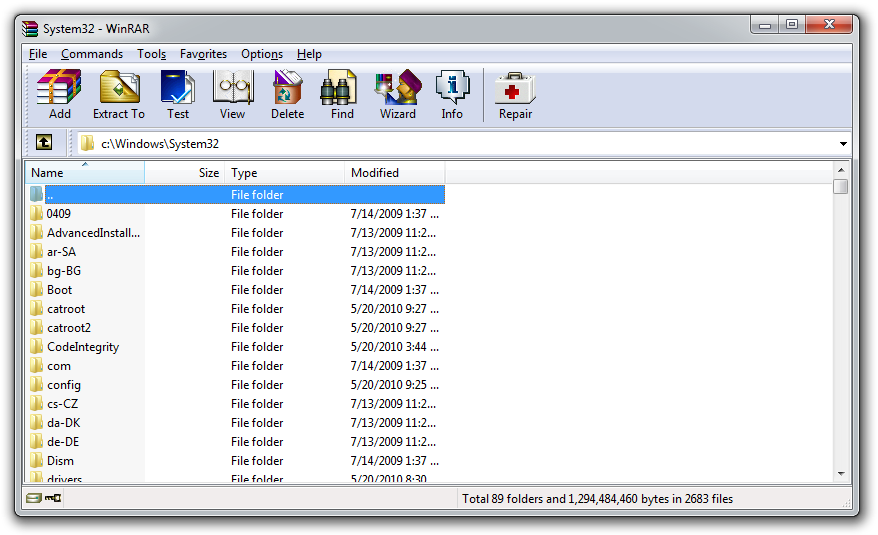
WinRAR is a 32-bit / 64-bit Windows version of RAR Archiver, the powerful archiver and archive manager. WinRAR's main features are very strong general and multimedia compression, solid compression, archive protection from damage, processing of ZIP and other non-RAR archives, scanning archives for viruses, programmable self-extracting archives(SFX), authenticity verification, NTFS and Unicode support, strong AES encryption, support of multivolume archives, command line and graphical interface, drag-and-drop facility, wizard interface, theme support, folder tree panel, multithread support and Windows x64 shell integration. WinRAR provides complete support for RAR and ZIP archives and is able to unpack and convert CAB, ARJ, LZH, TAR, GZ, ACE, UUE, BZ2, JAR, ISO, Z, 7-Zip archives. WinRAR is available in over 40 languages.

Select A Version From Official Site & Download


Download Registaion File Only

Check your SEO percentage score with this website. This website rates you also with stars i'm sure you know what i mean by that. It rates your website from 1 star to 5 stars.
Other things you can get are:

Alexa Rank


Star Rating


Website Worth


Advertising Revenue

Google Page Rank


Daily Visitors


Daily Pageview


SEO PERCENTAGE SCORE
IP Address Lookup
HAPPY ANALYSING

Measuring the performance of your webpage make you to know the area that you need to concentrate more on and others that are performing alright at that particular time. That is why google developed a tool called

Performance Insight

tool for webmasters.
  This tool grades both the desktop view and mobile view of your website in percentage. It grades the mobile website in percentage and also the desktop view differently over 100%.
The other part of the tool is the insight. It will display either a red exclamation, yellow exclamation, or a green check mark beside every insight.

Every where you see the red exclamation is indicating that if you follow the insight and make some adjustment, your performance will increase.

And also anywhere you see the yellow exclamation means you should consider fixing the error to make it turn to a green check mark if it is not a onerous amount of job

Also, wherever the green check mark appears means that you are performing well in that area. Good Job!

Insights in improving your webpage are displayed by every mark. The red, yellow and the green.

HAPPY ANALYSING

As the first thing you see when you log into your AdSense account, your homepage is an important source of information on how your site is performing. We know it’s essential that this page gives you access to the most relevant and actionable information possible. With this in mind, we’ve been gathering and closely analyzing your feedback; today, we’re happy to share our newly-designed homepage and invite you to give it a try! Some publishers have let us know that they want more insights from Google on ways to increase revenue, while others who log in to their accounts throughout the day want to be able to quickly access the right performance data. The new homepage has been designed to give you easieraccess to our recommendations and insights, not only to increase your monetization but also improve the user experience on your site. At the same time, it emphasizes the key information you need to know and any immediate actions to take. Here are some of the main enhancements you can expect to see: *.The new Insights stream on the right-hand side of the page provides personalized recommendations for your account, such as monetization opportunities and tips to enhance user experience, which can be put into action in just a few clicks. *.Your key account stats for today are quick and easy to view and now provide comparison data such as earnings so far this month versus the same period last month. *.The new Performance Today section gives you quick access to more detailed information like your countries and platforms reports, without requiring additional clicks. *.Your Scorecardwill continue to be prominent on your homepage, providing quick benchmarking information on how your site is performing relative to the sites of other AdSense publishers. Try out the new homepage directly from your account. You’ll still be able to revert back to your old homepage layout if needed.


For more updates, subscribe to the blog posts here.

If you've wanted an adsense account, it's quite easy nowadays. Offcourse you know that is an irony. Well with what i have encountered when apply for an adsense account. There may be sometime that they deny you of using your current email address to apply again.
Well, i found a method in which you can use to clear the email address and use it to reapply again.
Okay, without wasting much time, let me explain the method to you.: I've tried this method and it worked. Your email address will now be restored to as if you have never used it in apply for an adsense ever before.
First, get someone that has a adsense account(whether hosted or fully approved). Ask the owner to make you a user of the an administrator of his/her adsense account.
That is with the email address the adsense team has rejected. You will get an invitation message in your gmail inbox. When you recieve it, click on the link and accept the invitation. Then you will be allowed to sign in to that adsense account with your gmail account. Then after this, ask the owner to remove you. Then you won't be able to sign in to that adsense account. But you will be able to submit a new application.


P.S. I AM NOT RESPONSIBLE FOR ANY MALFUNCTION OR WHATEVER

You want to know how many visitor are currently or your blog, all you just have to do is get the widget here on this website.
When you get the widget, login to your blogger account.
Goto layout and click add a gadget where you want the gadget to
appear. Then save the widget will now be displaying total number of visitor online on your blog currently.

Hi.
The joy of almost every website owner is for his/her website appear in search engines. I don't/may not know of some people that don't. For example, google, bing, yahoo and so on if you know more. But today my/our focus is google. If you want your website to appear in google search result and you don't submit your website to google webmaster, i think you are just joking. Or, you submit to google webmasters and you haven't had the time to submit a sitemap, then the crawlers will wait until you are available.
Note: One thing about the bots is they have a very good home training. They don't go where they aren't sent. And also if you send them to a place and tell them not to do a particular thing, they don't do it. I guess they aren't A&E
Joke apart, after you have had a webmasters account, submit a good sitemap, you will just have to wait until the parent(Search Engine) send the children(crawlers) to come check your website out.
Note: Also, the children doesn't partake in any kind of overload. I guess they obey traffic laws, or they don't want to be penalised for indulging in overload.
What this means is that you can't have 20 cars and except 5 persons to carry them all at once. The children/bots/crawlers will take some but not all of you pages. That pages they have taken will be the ones that will appear in search engine result for that time. That means your site has been crawled and indexed
I don't know why they decide to use crawl not jump, race, walk. So, you need to submit your sitemap(s) often.
um, um, um,,, what's there to say again ooo.
Okay, now i remember. After you have done all or some of the above and you just think or you really want to know the last time google has crawled your page,

Go to google.com

In the search box, enter :
cache:http://godwithmeblog.com
in the search box. Don't forget to change the url, well i don't mind if you decide you want to know the last time my blog was crawled by google. Also make sure the column(:) is in between cache and the website.
You will be shown a snapshot of how the website looked liked when it was last crawled. The date and i think the time.

If you have enjoyed this, please don't hesitate to drop your comments.

Posted by Unknown | 12:29 | 0 comments »

TigerGPS.com

Download Shiva Pariyar Songs

Posted by Unknown | 02:11 | | 0 comments »


(गीत डाउनलोड गर्न Internet Explorer मा भए सम्बन्धित गीतमा राईट क्लिक गरेर Save Target As र Firefox or Google Chrome मा भए Save Link As  गरेर Location दिएर Save गर्नुहोला) 

~*Before Downloading These Songs Plz encourage us by clicking LIKE button below.*~

  1. Shiva Pariyar~Balhali Hune Yo Thau
  2. Shiva Pariyar~Chhadera Jau Ki
  3. Shiva Pariyar~Chhatpatima
  4. Shiva Pariyar~Facebook Le
  5. Shiva Pariyar~Kina Gali Garchhau
  6. Shiva Pariyar~Marera Gaye Vane
  7. Shiva Pariyar~Pokhara Ki Gori Le
  8. Shiva Pariyar~Saiyau Juni
  9. Shiva Pariyar~Sakiyena Vulna
  10. Shiva Pariyar~Yeha Pir Ma Xa Manxe